
null
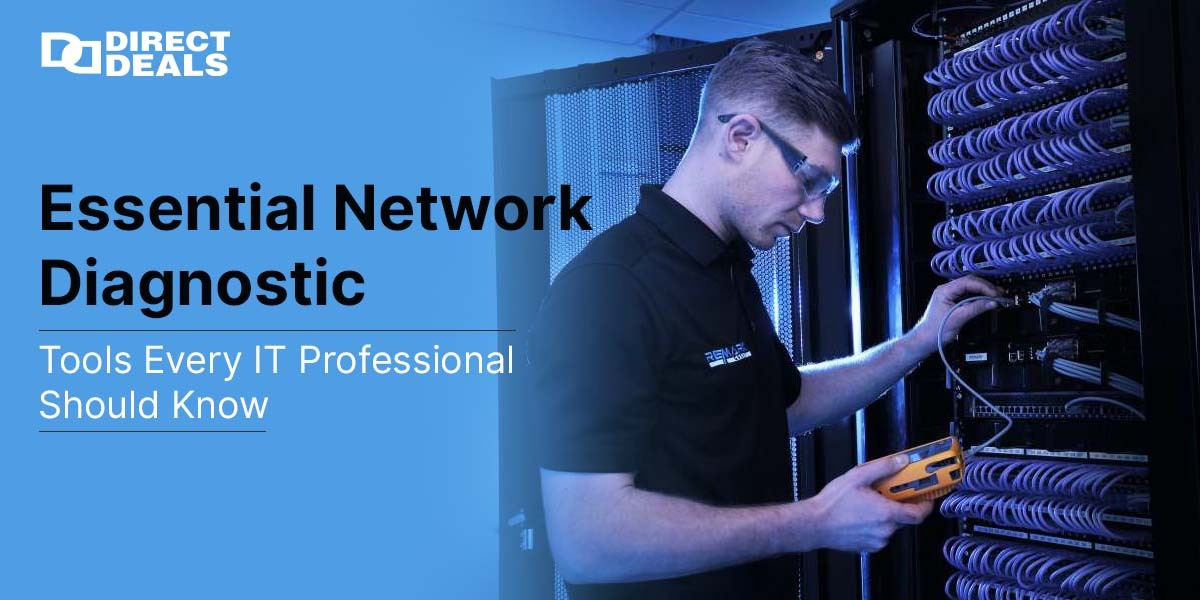
Essential Network Diagnostic Tools Every IT Professional Should Know

Essential Network Diagnostic Tools Every IT Professional Should Know

Posted by Admin on February 13, 2026

In today’s hyper connected world, network issues can bring business operations to a sudden halt. Whether it’s slow internet, dropped connections, or unidentified traffic, diagnosing the problem quickly is key. That’s where network diagnostic tools come into play.

At Directdeals, with 27 years of trust in IT solutions, we understand how crucial it is to keep your systems running smoothly. In this blog, we’ll walk you through the most commonly used network diagnostic tools, how they work, and why they matter.

1. Ping

Ping is one of the simplest yet most effective tools to test network connectivity. It sends a data packet to a specific IP address and measures the time it takes for a response.

Why Use It?

  1. To check if a website or server is reachable
  2. To measure network latency (delay)
  3. To detect packet loss

This tool is great for quick checks when you suspect the internet or a server isn’t responding.

2. Netstat

Netstat (short for Network Statistics) provides a snapshot of your current network connections and listening ports.

Why Use It?

  1. To view active connections
  2. To check which applications are using the network
  3. To identify suspicious or unknown connections

Netstat is especially useful in identifying malware or unauthorized access attempts.

3. Traceroute (or Tracert on Windows)

Traceroute traces the path that your data takes to reach a destination. It lists every router (or “hop”) along the way and how long it takes to reach each.

Why Use It?

  1. To diagnose slow or failed connections
  2. To identify where network delays occur
  3. To map out data paths to specific destinations

This tool is particularly helpful in understanding bottlenecks across networks.

4. IPConfig / IFConfig

These tools (IPConfig on Windows and IFConfig on Linux/Mac) show the IP configuration of your computer.

Why Use It?

  1. To view or renew your IP address
  2. To check your default gateway or subnet mask
  3. To troubleshoot local network issues

It's the go to tool for checking your system’s connectivity basics.

5. NSLookup

NSLookup helps diagnose DNS (Domain Name System) issues by looking up domain names and IP addresses.

Why Use It?

  1. To verify DNS records
  2. To troubleshoot domain resolution problems
  3. To check if DNS servers are working properly

This is a valuable tool when email servers or websites are not responding as expected.

6. Wireshark

Wireshark is a powerful, real time network analyzer that captures and examines data packets traveling across your network.

Why Use It?

  1. To conduct deep packet analysis
  2. To detect malicious network activity
  3. To troubleshoot complex network behavior

It’s widely used by cybersecurity experts and advanced IT teams.

7. Nmap

Nmap (Network Mapper) scans your network to find connected devices, open ports, and services.

Why Use It?

  1. For network inventory and security audits
  2. To detect vulnerabilities
  3. To identify active hosts and services

Nmap is essential for securing large networks and verifying firewall configurations.

Conclusion

Understanding and using network diagnostic tools like Ping, Netstat, Traceroute, and Wireshark can significantly reduce downtime and improve performance. These tools not only help troubleshoot problems but also provide insights into how your network operates.

At Directdeals, we’ve earned 27 years of trust by supporting clients with industry leading hardware, software, and expert IT solutions. Whether you’re managing a small office or a large enterprise, having the right diagnostic tools—and the knowledge to use them—makes all the difference.

Need Expert Advice or IT Solutions?

We’re just a call or email away!

Phone: 1-800-983-2471

Email: sales@directdeals.com

Website: www.directdeals.com

Let DirectDeals help you build a more secure, stable, and high performing network.

DirectDeals FAQ

Frequently Asked Questions

Everything you need to know before purchasing software, cloud subscriptions, hardware and IT solutions from DirectDeals.

Is DirectDeals an authorized software reseller? +
Yes. DirectDeals holds authorizations with many leading manufacturers and resells only genuine software licenses, cloud subscriptions, hardware, and enterprise IT products sourced through proper authorized channels. As a service-disabled veteran-owned business with more than 27 years of experience, we are committed to providing legitimate products that meet compliance standards. This approach gives IT professionals and business owners complete confidence whether they are purchasing a single license for personal use or managing volume requirements across their organization.
Can businesses request customer quotations? +
Absolutely. Our experienced business specialists work directly with organizations of all sizes to prepare fully customized quotations that align with your specific business size, compliance requirements, infrastructure setup, and budget goals. Whether you need volume licensing for multiple users, support for enterprise software deployments, or a complete technology refresh, we take the time to understand your current environment and deliver a clear competitive proposal featuring genuine products sourced through authorized channels. To get started simply reach out through our contact form, give us a call, or share details about your setup and objectives. We respond promptly with a tailored recommendation that helps you move forward efficiently while maintaining full compliance and strong cost control.
How quickly are software download delivered? +
Most digital software downloads and activation keys are delivered instantly via email through our Electronic Software Delivery service once your order is verified, often within just a few minutes. For certain products that involve manufacturer-delivered downloads or activation keys, processing may take a bit longer depending on the vendor and the manufacturer. However, we submit your order to the manufacturer immediately upon purchase to expedite the delivery timeline as much as possible. Our support team monitors these orders closely and communicates updates promptly so you experience reliable service and minimal delays whether your delivery is instant or requires manufacturer coordination.
Do I need RDS CALs for Remote Desktop Access? +
Yes. Most organizations that provide Remote Desktop access to multiple users or devices will need Microsoft Remote Desktop Services RDS CALs in addition to standard Windows Server CALs. These Client Access Licenses are required to legally allow remote connections to a Windows Server environment and help ensure compliance with Microsoft licensing rules. At DirectDeals we can help you determine the exact number of RDS CALs your specific setup requires and supply genuine licenses at competitive prices so your remote workforce stays productive and fully compliant without unnecessary complexity or risk. Reach out with details about your current environment and we will guide you toward the right solution quickly.
Do you provide cloud solutions? +
Yes. We provide comprehensive cloud solutions including Microsoft Azure and Microsoft 365 subscriptions along with expert guidance on cloud migration and ongoing subscription management for organizations of every size. Whether you are moving workloads to the cloud for the first time, optimizing existing Azure or M365 environments, or aligning licensing with your security and scalability requirements, our team can guide you through the options so you achieve results faster and with less internal effort. Reach out with details about your current setup and goals, and we will help you identify the right path forward with genuine solutions that support your business without unnecessary complexity.
Can DirectDeals help with enterprise deployments? +
Yes. Our experienced team regularly assists organizations with enterprise-scale software deployments from initial procurement and strategic licensing planning through deployment support, renewals, and complete software lifecycle management. We help IT leaders streamline complex projects, maintain compliance across environments, and control long-term costs so they can focus on strategic priorities instead of day-to-day licensing details. Reach out to discuss your current setup and upcoming initiatives, and we can outline how DirectDeals serves as a dependable partner that simplifies the entire process while ensuring you have the genuine solutions your organization needs.
Why DirectDeals

Fast, Simple, and Reliable Software Buying

Everything customers expect before purchasing genuine software, licenses, cloud subscriptions, and IT products online.

Support

Live support with minimal wait time

Connect with our team quickly for product help, licensing guidance, order support, and business quotation assistance.

Savings

Competitive prices and daily deals

Shop genuine software, Microsoft products, server licenses, cloud subscriptions, and IT solutions at highly competitive prices.