
null

How to Transition to Windows 11: Tips and Tricks

June 11, 2025


If you're considering making the jump to Windows 11, you're not alone! Microsoft's latest operating system brings a host of features designed to enhance productivity, improve user experience, and offer a fresh interface. As you embark on this transition, it’s essential to be well-prepared. Here are some practical tips and tricks to ensure a smooth upgrade to Windows 11.

1. Check System Requirements
Before you begin your upgrade, make sure your device meets the minimum system requirements for Windows 11. Here’s what you need:
- Processor: 1 GHz or faster with at least 2 cores on a compatible 64-bit processor or system on a chip (SoC)
- RAM: 4 GB or more
- Storage: 64 GB or larger storage device
- System Firmware: UEFI, Secure Boot capable
- TPM: Trusted Platform Module (TPM) version 2.0
- Graphics Card: DirectX 12 or later compatible graphics / WDDM 2.x
- Display: >9” with HD Resolution (720p)
You can check your compatibility using the PC Health Check app available from Microsoft's official website.

2. Backup Your Important Data
Before transitioning to a new operating system, ensuring your valuable data is safe should be a top priority. Use an external hard drive or a cloud storage service to back up your files, documents, and important software. This way, if anything goes awry during the installation, your data will remain secure.

3. Install the Latest Updates on Your Current OS
To facilitate a smooth transition, ensure your current version of Windows is up-to-date. This not only ensures compatibility with Windows 11 but also helps mitigate potential problems during the upgrade process. To check for updates, go to Settings > Update & Security > Windows Update, and select Check for updates.

4. Choose Your Upgrade Method
There are multiple ways to upgrade to Windows 11. You can:
- Upgrade via Windows Update: This is the easiest method if your device is eligible for the upgrade. Just go to Settings > Update & Security > Windows Update, where you should find an option to download and install Windows 11.
- Use the Installation Assistant: Download the Windows 11 Installation Assistant from the Microsoft website. This tool will guide you through the upgrade process.
- Create a Bootable USB Drive: For more tech-savvy users, creating a bootable USB drive with the Windows 11 installation files can allow for a clean install, which is sometimes preferable for avoiding residual files and settings from previous installations.

5. Familiarize Yourself with the New Features
Windows 11 introduces a redesigned user interface and several new features. Spend some time exploring:
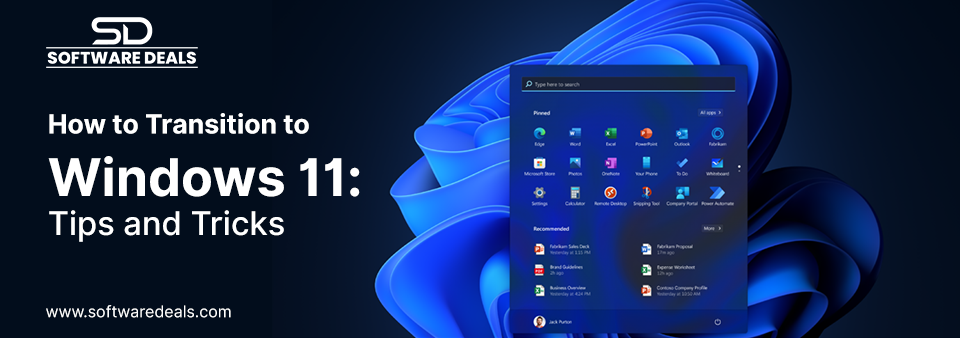
- New Start Menu: The Start menu is now centered, making it more visually appealing and user-friendly.
- Snap Layouts: Organize your open windows easily with Snap Layouts that allow you to arrange your apps in various configurations.
- Widgets: Access personalized news, weather updates, and other information quickly with the new Widgets feature.
- Microsoft Teams Integration: Collaboration is seamless now as Microsoft Teams is integrated directly into the operating system.

6. Install Essential Software
Once you've transitioned to Windows 11, visit SoftwareDeals.com to find exclusive deals on genuine software from top brands like Microsoft, Adobe, Corel, and Autodesk. With 26+ years of trusted service, you can instantly download secure licensing for the applications you need to boost your productivity in the new OS.

7. Seek Support if Needed
If you run into any issues during or after the upgrade, don’t hesitate to seek help. Microsoft provides support through various channels, including online forums, Troubleshooters, and customer service.

Conclusion
Transitioning to Windows 11 is an exciting opportunity to take advantage of new features and improvements. By following these tips and preparing accordingly, you can enjoy a seamless transition, ensuring your productivity and creativity are at their peak. Ready to upgrade? Head over to SoftwareDeals.com to secure your software at an incredible price and make the most out of your Windows 11 experience!
DirectDeals FAQ

Frequently Asked Questions

Everything you need to know before purchasing software, cloud subscriptions, hardware and IT solutions from DirectDeals.

Is DirectDeals an authorized software reseller? +
Yes. DirectDeals holds authorizations with many leading manufacturers and resells only genuine software licenses, cloud subscriptions, hardware, and enterprise IT products sourced through proper authorized channels. As a service-disabled veteran-owned business with more than 27 years of experience, we are committed to providing legitimate products that meet compliance standards. This approach gives IT professionals and business owners complete confidence whether they are purchasing a single license for personal use or managing volume requirements across their organization.
Can businesses request customer quotations? +
Absolutely. Our experienced business specialists work directly with organizations of all sizes to prepare fully customized quotations that align with your specific business size, compliance requirements, infrastructure setup, and budget goals. Whether you need volume licensing for multiple users, support for enterprise software deployments, or a complete technology refresh, we take the time to understand your current environment and deliver a clear competitive proposal featuring genuine products sourced through authorized channels. To get started simply reach out through our contact form, give us a call, or share details about your setup and objectives. We respond promptly with a tailored recommendation that helps you move forward efficiently while maintaining full compliance and strong cost control.
How quickly are software download delivered? +
Most digital software downloads and activation keys are delivered instantly via email through our Electronic Software Delivery service once your order is verified, often within just a few minutes. For certain products that involve manufacturer-delivered downloads or activation keys, processing may take a bit longer depending on the vendor and the manufacturer. However, we submit your order to the manufacturer immediately upon purchase to expedite the delivery timeline as much as possible. Our support team monitors these orders closely and communicates updates promptly so you experience reliable service and minimal delays whether your delivery is instant or requires manufacturer coordination.
Do I need RDS CALs for Remote Desktop Access? +
Yes. Most organizations that provide Remote Desktop access to multiple users or devices will need Microsoft Remote Desktop Services RDS CALs in addition to standard Windows Server CALs. These Client Access Licenses are required to legally allow remote connections to a Windows Server environment and help ensure compliance with Microsoft licensing rules. At DirectDeals we can help you determine the exact number of RDS CALs your specific setup requires and supply genuine licenses at competitive prices so your remote workforce stays productive and fully compliant without unnecessary complexity or risk. Reach out with details about your current environment and we will guide you toward the right solution quickly.
Do you provide cloud solutions? +
Yes. We provide comprehensive cloud solutions including Microsoft Azure and Microsoft 365 subscriptions along with expert guidance on cloud migration and ongoing subscription management for organizations of every size. Whether you are moving workloads to the cloud for the first time, optimizing existing Azure or M365 environments, or aligning licensing with your security and scalability requirements, our team can guide you through the options so you achieve results faster and with less internal effort. Reach out with details about your current setup and goals, and we will help you identify the right path forward with genuine solutions that support your business without unnecessary complexity.
Can DirectDeals help with enterprise deployments? +
Yes. Our experienced team regularly assists organizations with enterprise-scale software deployments from initial procurement and strategic licensing planning through deployment support, renewals, and complete software lifecycle management. We help IT leaders streamline complex projects, maintain compliance across environments, and control long-term costs so they can focus on strategic priorities instead of day-to-day licensing details. Reach out to discuss your current setup and upcoming initiatives, and we can outline how DirectDeals serves as a dependable partner that simplifies the entire process while ensuring you have the genuine solutions your organization needs.
Why DirectDeals

Fast, Simple, and Reliable Software Buying

Everything customers expect before purchasing genuine software, licenses, cloud subscriptions, and IT products online.

Support

Live support with minimal wait time

Connect with our team quickly for product help, licensing guidance, order support, and business quotation assistance.

Savings

Competitive prices and daily deals

Shop genuine software, Microsoft products, server licenses, cloud subscriptions, and IT solutions at highly competitive prices.