
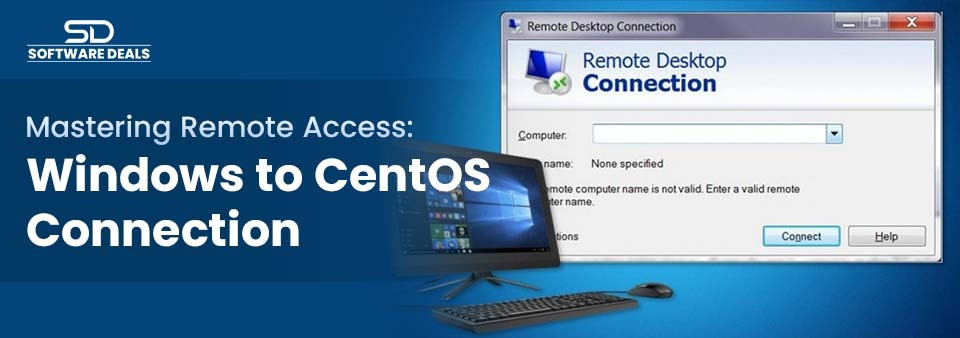
Learn how to connect a Windows system to a CentOS server via remote access in this comprehensive guide.
In today's connected world, remote access has emerged as an essential tool for individuals and organizations alike. It enables users to connect to systems and networks from nearly anywhere, breaking down geographical barriers. One common scenario involves connecting from a Windows system to a CentOS server—a task that, while straightforward, requires some technical knowledge. In this blog, we’ll walk you through the process of establishing a remote desktop connection from Windows to CentOS, ensuring that both newcomers and seasoned IT professionals can navigate this essential skill.
Understanding Remote Access and Its Significance
Remote access technology allows users to connect to a computer or network from a distance. Imagine being able to operate your workstation from home, a coffee shop, or even a different country! This capability has become increasingly vital in our digital age, especially with the rise of remote work arrangements and the need for IT professionals to manage systems without being physically present.
For businesses, remote access facilitates flexibility and productivity, enabling workers to operate efficiently from various locales. For system administrators, it’s a vital tool for troubleshooting and managing systems seamlessly.
What is CentOS and When to Use It?
CentOS, or Community Enterprise Operating System, is a popular Linux distribution known for its stability, security, and extensive support from a large community. While it’s widely used for server applications such as web and database servers, CentOS can also function well as a desktop operating system for users who prefer a Linux environment. Its robustness makes it an ideal choice for organizations managing remote workers or IT professionals overseeing multiple systems.
Preparing Your CentOS for Remote Access
To connect to your CentOS system remotely, you'll need to prepare it by installing the necessary software and configuring settings.
1. Install a Desktop Environment
If your CentOS installation doesn’t include a graphical user interface (GUI), you'll need to install one. The GNOME desktop environment is a popular choice. To install it, open your terminal and run:
bash
Copy code
sudo yum groupinstall "GNOME Desktop"
2. Install xRDP
xRDP is a remote desktop protocol (RDP) server that enables you to connect to your CentOS system from a Windows machine. To install xRDP, execute the following command:
bash
Copy code
sudo yum install xrdp
Once installed, start and enable xRDP with these commands:
bash
Copy code
sudo systemctl start xrdp
sudo systemctl enable xrdp
3. Configure the Firewall and SELinux
To ensure secure access, you must configure your firewall and SELinux:
- Open the RDP port (3389) in your firewall:
bash
Copy code
sudo firewall-cmd --add-port=3389/tcp --permanent
sudo firewall-cmd --reload
- Allow xRDP to open sessions in SELinux:
bash
Copy code
sudo setsebool -P xrdp_enable_homedirs true
With these configurations, your CentOS system is now ready for remote access.
Setting Up Your Windows Machine for Remote Connection

Next, configure your Windows machine to connect to your CentOS server. This involves enabling Remote Desktop Services (RDS) and using the Remote Desktop Connection client.
Enabling RDS on Windows
- Open Server Manager.
- Click on Add roles and features.
- Select Remote Desktop Services and follow the prompts to install.
Using the Remote Desktop Connection Client
Once RDS is enabled, you can connect to your CentOS system by following these steps:
- Open the Remote Desktop Connection client.
- Enter the IP address of your CentOS server.
- Click Connect.
You'll be prompted to enter your CentOS username and password. Upon successful authentication, you should see your CentOS desktop displayed on your Windows machine.
Security Considerations and Best Practices
As with any remote desktop server setup, security is paramount. Here are some best practices to follow:
- Use strong, unique passwords for all accounts.
- Regularly update your software to patch vulnerabilities.
- Enable two-factor authentication (2FA) for added security.
- Limit failed login attempts to prevent brute force attacks.
Implementing these measures will help protect your systems from unauthorized access.
Troubleshooting Common Connection Issues
If you encounter issues while trying to connect, check the following:
- Ensure both machines are on the same network. If not, you may need a VPN or public IP address.
- Verify that your firewall settings are correctly configured.
- Check for any network connectivity issues.
Understanding the root cause of these issues will allow you to resolve them quickly.
Conclusion and Next Steps
Learning how to access remote systems from Windows to CentOS can significantly enhance your productivity, enabling you to manage servers and troubleshoot issues from anywhere. As you become more familiar with this process, consider exploring additional tools and techniques, such as setting up VPNs or using SSH for secure command-line access.
Master Microsoft Office 2024 with SoftwareDeals—Your Success, Our Priority
Unlock the full potential of Microsoft Office with SoftwareDeals, your trusted Microsoft partner backed by 25 years of expertise. Our team offers unparalleled value and top-notch technical support throughout your experience. Whether you need help with installation, troubleshooting, or maximizing Office 2024’s features, we’ve got you covered.
Get in touch with our team today at (800) 983-2471 or email us at support@softwaredeals.com. Your satisfaction is our priority, and we’re committed to providing the highest level of service.