
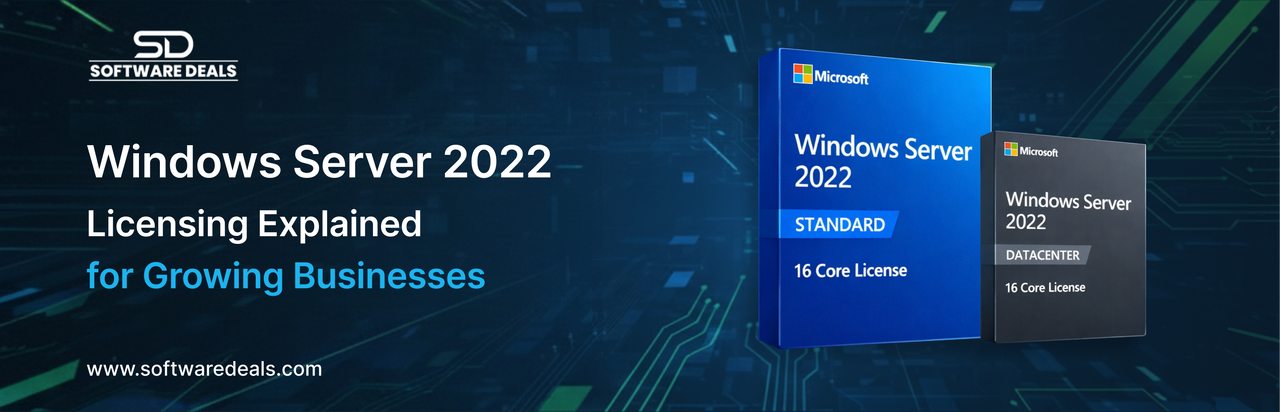
Modern organizations rely on secure, scalable, and high performance server environments to support daily operations. Microsoft Windows Server 2022 remains a top choice for enterprises that need reliability, virtualization, and advanced security. However, understanding licensing options is often more complex than deploying the server itself. This guide breaks down the core licensing components and helps businesses choose the right configuration with confidence.
Understanding Windows Server 2022 Licensing Basics
Windows Server 2022 is licensed primarily by core count, with editions tailored to different workloads. In addition to the base license, organizations may also need access licenses depending on how users and devices interact with the server.
One of the most commonly required components is the windows server 2022 user cal license, which allows individual users to access the server regardless of the device they use. This option is ideal for businesses with employees working across multiple devices, ensuring compliance without unnecessary duplication.
At the infrastructure level, Microsoft offers two major editions: Standard and Datacenter. Each serves a different operational scale and virtualization requirement.
Choosing Between Standard and Datacenter Editions
Standard Edition for Essential Workloads
The Standard edition is designed for organizations running low density or non virtualized environments. It supports core features such as file services, application hosting, and basic virtualization. For IT teams planning deployments, the windows server 2022 standard 16 core license download is often selected to meet Microsoft’s minimum core requirements while maintaining cost efficiency.
This edition is best suited for businesses that operate a limited number of virtual machines and want predictable licensing costs.
Datacenter Edition for Advanced Virtualization
For enterprises running heavily virtualized or cloud like environments, the Datacenter edition provides unlimited virtualization rights and advanced features such as Shielded Virtual Machines and Software Defined Networking. The windows server 2022 datacenter 16 core license is commonly deployed in data centers where scalability and automation are critical.
This option is ideal for organizations that expect rapid growth or already manage complex workloads across multiple virtual machines.
Why Client Access Licenses Matter
Licensing does not stop with the server itself. Client Access Licenses (CALs) are mandatory for users or devices accessing Windows Server services. The windows server 2022 user cal license is particularly beneficial for modern workplaces where employees log in from laptops, desktops, and mobile devices.
Without proper CALs, organizations risk non compliance, which can lead to audits and unexpected costs. Planning CAL requirements early ensures smoother deployments and long term savings.
Deployment and Download Considerations
When planning installations, IT administrators often look for reliable sources for licensing and downloads. The windows server 2022 standard 16 core license download supports clean deployments, upgrades, and testing environments while aligning with Microsoft’s licensing framework.
For organizations running hybrid infrastructures, combining Standard and Datacenter editions can be a strategic approach. While Standard handles core services, Datacenter supports high availability workloads. In these cases, pairing the right server edition with the correct number of user access licenses ensures operational efficiency.
Large enterprises hosting mission critical applications often rely on the windows server 2022 datacenter 16 core license to support unlimited virtualization without additional licensing overhead per virtual machine.
Optimizing Licensing for Long Term Growth
A well planned licensing strategy goes beyond immediate needs. Businesses should consider future expansion, remote work trends, and virtualization demands. Investing in scalable licensing today prevents costly re licensing tomorrow.
For example, organizations that anticipate workforce growth often standardize on the windows server 2022 user cal license to simplify access management. Similarly, businesses starting small may begin with Standard edition and later transition to Datacenter as virtualization requirements increase.
Why Businesses Trust SoftwareDeals
For over two decades, SoftwareDeals Trusted by businesses for 27 years has supported organizations with genuine Microsoft licensing, expert guidance, and dependable customer service. The focus is not just on selling licenses, but on helping businesses align technology decisions with operational goals.
From small businesses to enterprise IT departments, clients value clear licensing advice, fast fulfillment, and ongoing support throughout the software lifecycle.
Our Services at a Glance
- Microsoft Windows Server licensing
- Volume licensing for enterprises
- License compliance and optimization
- Upgrade and migration support
- Expert pre sales and post-sales assistance
Explore more services at: https://softwaredeals.com/
Conclusion
Choosing the right Windows Server 2022 licensing model is a strategic decision that impacts security, scalability, and long term costs. With expert guidance, businesses can avoid over licensing, remain compliant, and build infrastructure that supports growth. Working with an experienced licensing partner ensures clarity, confidence, and continuity qualities that matter in today’s evolving IT landscape.
Let’s talk about your licensing needs
Phone: 800-983-2471
Email: support@softwaredeals.com
Website: www.softwaredeals.com
I’ve spent years helping organizations navigate Microsoft licensing with clarity and honesty, and I’d be glad to help you do the same.